
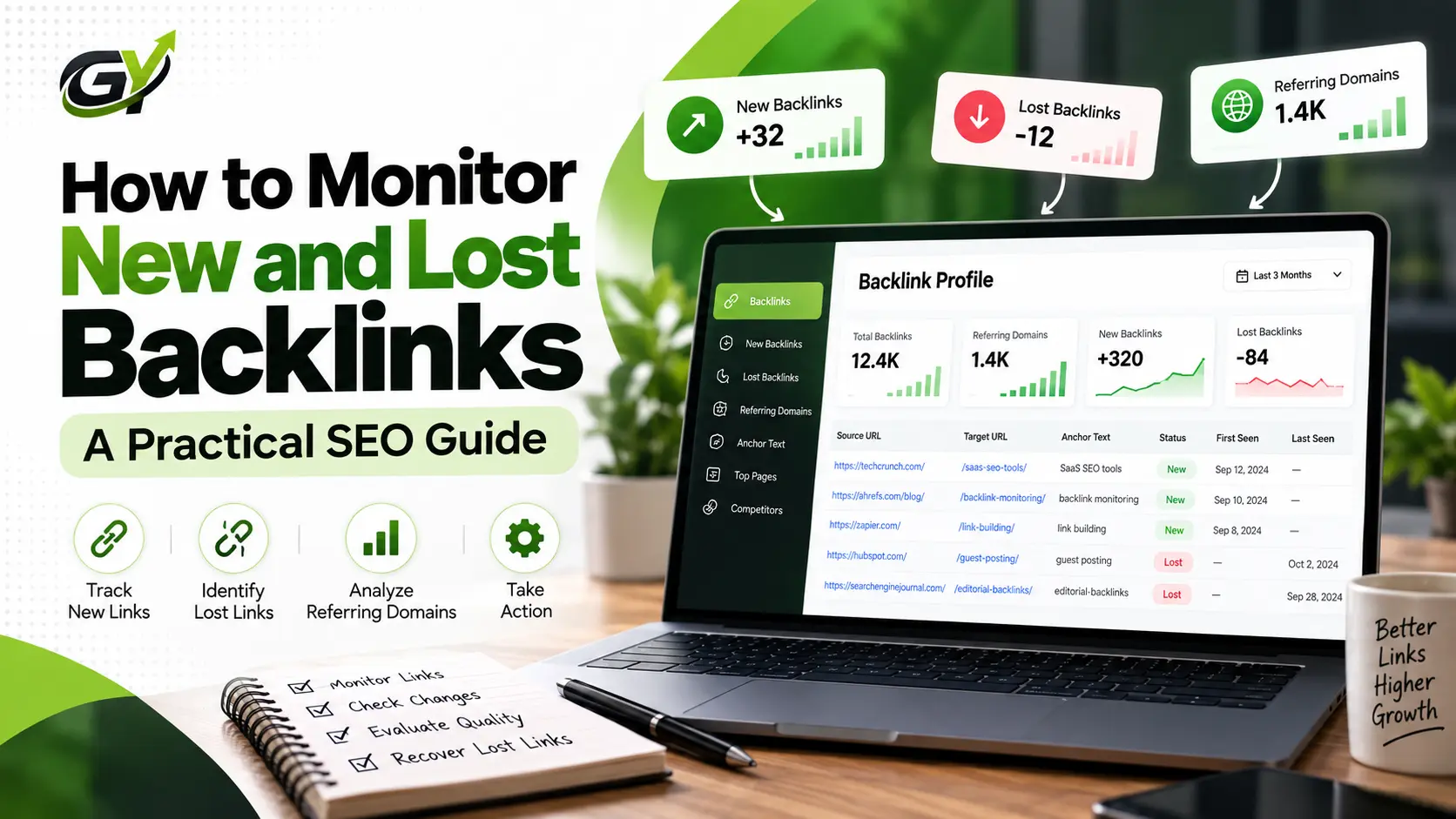
How to Monitor New and Lost Backlinks: A Practical SEO Guide
When I build backlinks for a website, I don’t consider the work finished just because a link has been placed. I have seen backlinks appear, disappear, move to different pages, change their attributes, or become inaccessible for reasons that have nothing to do with the original link-building campaign. That is why I regularly monitor backlink profiles instead of looking at them only when I need a report.
If you’re wondering how to monitor new and lost backlinks, the process is actually more useful than simply checking whether the total number of backlinks went up or down. I want to know what changed, where the change happened, whether the link is valuable, why a link disappeared, and whether I need to take any action.
After working on link-building and SEO campaigns, I have found that this level of monitoring gives me a much clearer picture of what is actually happening with a website’s backlink profile.
What Are New and Lost Backlinks?
Let’s start with the basic difference.
A new backlink is a link that a backlink database or monitoring tool has recently discovered pointing from another website to your website.
A lost backlink is a backlink that was previously detected but is no longer being found in the same way.
That sounds simple, but there is an important detail here: I don’t immediately assume that every newly discovered link is valuable, or that every reported lost link is actually gone permanently.
For a new backlink, I normally look at things such as:
- The referring domain
- The exact source page
- The target URL
- Anchor text
- Topical relevance
- Link placement
- Whether the page is accessible and indexed
- Link attributes
- Overall quality of the source website
For a lost backlink, the situation can be more complicated.
The page might have been deleted. The article could have been updated. The publisher may have removed the link. A website could have changed its URL structure, redirected the page, redesigned the site, or even gone offline.
There is also a difference between a backlink being temporarily not detected and being genuinely lost.
I always try to verify the situation before taking action.
Why I Monitor New and Lost Backlinks
For me, backlink monitoring is not about watching a number increase every week.
It is about understanding what changed, why it changed, and whether that change matters.
When I monitor a backlink profile, I am usually looking for several things at the same time.
First, I want to verify newly acquired links. If I worked on a link-building campaign and a publisher added a backlink, I want to make sure the link is actually live and pointing to the intended page.
Second, I want to identify links that may be more valuable than others. A new backlink from a highly relevant editorial page deserves a different level of attention than a random low-relevance link.
Third, I want to notice lost backlinks early.
If an important editorial backlink disappears after months of being live, I would rather discover it during regular monitoring than find out six months later when I’m doing a completely different audit.
Backlink monitoring also helps me understand competitor activity and patterns in link acquisition.
Over time, the data becomes much more useful because I can see not just the current backlink profile, but how that profile is changing.
How to Monitor New Backlinks
My approach to monitoring a new backlink is fairly simple, but I don’t stop at checking whether the URL exists.
Step 1: Check newly discovered backlinks
The first step is finding the new backlinks that have appeared since the previous check.
Most backlink monitoring platforms provide a section where recently discovered links can be reviewed.
Once I find a new link, I don’t immediately classify it as a successful backlink.
I investigate it.
Step 2: Review the referring domain
I start with the referring domain.
I want to understand what kind of website is linking to the site.
I normally look at:
- Topical relevance
- Website content
- Overall quality
- The site’s history
- Whether the domain appears legitimate
- Whether the website actually publishes useful content
One thing I have learned from doing link-building work is that domain-level metrics alone don’t tell me everything I need to know.
A domain can have a strong third-party metric and still provide a backlink that isn’t particularly useful for the specific website I’m working on.
The context matters.
Step 3: Inspect the exact linking page
This is one of the checks I consider important.
I don’t evaluate a backlink only by looking at the referring domain.
I open the actual page containing the link.
Then I look at:
- What the page is about
- Where the link appears
- What content surrounds the link
- Whether the link fits naturally
- What anchor text is being used
- Whether the page is accessible
- Whether the page appears to be indexed
- Whether the backlink is editorially placed
For example, if I’m working on a SaaS website and a new backlink appears inside a relevant software comparison article, I’ll investigate that page rather than simply recording the domain name.
That gives me much more information about the actual value of the link.
Step 4: Check the destination page
I also verify where the backlink points.
Sometimes the source page is correct but the link points to an unexpected URL.
I want to know whether the backlink is pointing to:
- The intended landing page
- A relevant blog post
- A redirected URL
- An outdated page
- An unrelated page
This is particularly important when working on larger websites with many landing pages and content URLs.
Step 5: Check link attributes
I also look at the link attribute.
Depending on the implementation, the link may be:
- Follow
- Nofollow
- Sponsored
- UGC
I don’t treat the presence of a nofollow attribute as automatically meaning that the link has no value.
The context still matters.
A relevant link can potentially send referral traffic, help users discover a page, support brand visibility, and contribute to a broader link profile even when it isn’t treated the same way as a traditional followed editorial link.
Step 6: Record important backlinks
For important links, I like having a record of the source and the relevant details.
This becomes useful later when monitoring lost backlinks.
Without historical information, it becomes much harder to understand what actually changed.
How to Monitor Lost Backlinks
Lost backlinks require a slightly different approach.
When a tool tells me that a backlink has been lost, I don’t immediately send an email to the website owner.
First, I verify it.
My normal process looks like this:
- Find the reported lost backlink.
- Open the source page.
- Check whether the link is actually gone.
- Check whether the source URL changed.
- Look for redirects.
- Check whether the article was updated.
- Check whether the page or domain is still live.
- Understand why the backlink disappeared.
- Decide whether the backlink is worth recovering.
- Contact the publisher if recovery makes sense.
This matters because not every lost backlink deserves the same amount of effort.
If a low-value, irrelevant page disappears, I may simply record the change and move on.
If a highly relevant editorial page that has been linking to the website for a long time suddenly removes the link, that’s different.
I would investigate that much more carefully.
Why Do Backlinks Get Lost?
There can be many reasons.
A publisher might:
- Remove an article
- Update an article
- Remove an old link
- Change the URL
- Redesign the website
- Redirect the page
- Delete the page
- Take the website offline
- Change the content management system
- Change the link attribute
Sometimes the backlink is not actually gone. The monitoring system may simply have detected a temporary issue.
That’s why verification is important before deciding what to do.
How I Decide Whether a New Backlink Is Valuable
This is where my experience in link building makes a difference.
I don’t look at one metric and decide that a backlink is good or bad.
I look at the complete picture.
Relevance
First, is the website or page relevant to the subject?
A backlink from a relevant industry publication can make much more sense than a link from a completely unrelated website.
Context
Next, I look at the context.
Does the link naturally fit into the article?
If the surrounding content explains the same topic and the link gives the reader a useful next step, that is much more meaningful to me than a link inserted randomly into a page.
Placement
I also check where the link appears.
An editorially placed contextual link is different from a link buried in an unrelated area of a website.
Referring Domain
I look at the referring domain, but I don’t stop at its third-party metrics.
I want to know whether the website has genuine content, whether it is relevant, and whether the domain appears useful and legitimate.
Source Page
The actual page matters too.
I check whether the page is accessible, useful, relevant and capable of being discovered by search engines.
Anchor Text
I also check the anchor text.
I prefer anchor text that makes sense in the sentence and doesn’t look unnaturally engineered.
I don’t want every backlink pointing to a page with exactly the same keyword.
Long-Term Value
Finally, I think about the longer-term value.
Could the page potentially continue sending referral traffic?
Is the website relevant to the industry?
Could the link remain useful even if third-party SEO metrics change?
These questions give me a much better evaluation than simply looking at the number of backlinks.
How Often Should You Monitor Backlinks?
There isn’t one monitoring frequency that works for every website.
It depends on how actively the website is building links and how large the backlink profile is.
For a smaller website with very little link-building activity, checking backlinks periodically may be enough.
For an active SaaS website running an ongoing link-building campaign, I prefer monitoring much more regularly.
And if a website is acquiring backlinks aggressively, frequent monitoring becomes even more useful because there are simply more changes happening.
My basic rule is simple:
The more active the link-building campaign, the more frequently I want to monitor the backlink profile.
The purpose isn’t to constantly watch the dashboard.
It’s to make sure important changes don’t go unnoticed.
Backlink Monitoring for SaaS Websites
SaaS websites can have particularly interesting backlink profiles because links can come from many different sources.
When working with SaaS SEO, I may see backlinks coming from:
- Editorial publications
- Software comparison websites
- Product mentions
- Industry blogs
- Software directories
- Listicles
- Integration pages
- Partner websites
- Founder or executive mentions
- Brand mentions
This is one reason I like monitoring SaaS backlink profiles over time.
A SaaS company may acquire a backlink from a review article today, an integration partner next month, and an industry publication later.
Those links don’t all have the same purpose.
The overall link-building strategy matters.
For a deeper look at the broader process, I would connect this with our SaaS link building strategy.
How Backlink Monitoring Helps With Competitor Research
I also use backlink monitoring as part of competitor research.
Instead of looking only at the total number of backlinks a competitor has, I want to understand where their new links are coming from.
For example, I may look for:
- Newly acquired referring domains
- Recently published backlinks
- Lost backlinks
- Websites repeatedly linking to competitors
- Industry publications
- Listicles
- Content formats attracting links
- Brand mentions
- Editorial opportunities
The goal isn’t to blindly copy every backlink a competitor has.
I’ve found that this approach usually misses the bigger picture.
What interests me more is the pattern.
If several competitors are repeatedly getting mentioned by a particular type of publication, that tells me something about the type of content or relationship that may be working in that industry.
That information can then feed into a broader link-building strategy.
New Backlinks vs Lost Backlinks
| New Backlinks | Lost Backlinks |
|---|---|
| Recently discovered links | Previously detected links that are no longer found |
| Check source domain | Verify the link is actually gone |
| Review source page | Investigate the source page |
| Check relevance and context | Find the reason for the loss |
| Check anchor and attributes | Check redirects and URL changes |
| Record important links | Decide whether recovery is worthwhile |
| Look for link-building patterns | Recover valuable links when appropriate |
I look at both sides because they tell me different things.
New links show what is being acquired.
Lost links show what is changing or disappearing.
Together, they give a much clearer view of backlink activity.
Backlink Monitoring vs Backlink Analysis
I see backlink monitoring and backlink analysis as related but different processes.
Monitoring is mainly about changes over time.
For example:
- New backlinks
- Lost backlinks
- New referring domains
- Lost referring domains
- Changes in link attributes
Analysis goes deeper into the backlink profile itself.
It can involve looking at:
- Referring domains
- Anchor text
- Source pages
- Link relevance
- Link quality
- Competitor profiles
- Historical backlink patterns
For anyone regularly monitoring a backlink profile, using the right backlink monitoring tools can make this process much easier.
I would still avoid relying completely on automated classifications. I use tools to surface the data, but I make the final evaluation based on the actual backlink and its context.
Backlink Database and Monitoring
There is also an important relationship between a backlink database and backlink monitoring.
A backlink database provides the underlying records that allow us to see things such as source pages, target URLs, referring domains and historical backlink information.
Monitoring uses that data to identify changes.
For example:
Backlink database → stores/discovers backlink data
Monitoring → identifies changes in that data
So if a backlink is newly discovered, monitoring can flag it as new.
If a previously detected backlink disappears, monitoring can flag it as lost.
I recently covered this in more detail in my article about backlink database, where I explain how backlink databases work and what kind of information they contain.
Understanding this relationship helps explain why backlink monitoring tools can show historical changes rather than simply giving you one static list of links.
What Should I Do When I Lose an Important Backlink?
If I identify an important lost backlink, I first try to understand why it disappeared.
I don’t immediately assume that the publisher made a mistake.
I check the page.
If the article was updated, I look at what changed.
If the URL moved, I check the new URL.
If the page was deleted, I look at whether the publisher has another relevant page where the resource could naturally belong.
If the backlink was genuinely valuable and there is a reasonable opportunity to restore it, I may contact the publisher.
The outreach should be simple and professional.
I don’t send a long SEO pitch explaining how important their domain authority is.
Instead, I focus on the actual page and explain why restoring or updating the relevant reference would make sense for their readers.
Sometimes the best outcome isn’t getting the exact same link back. If the publisher has completely changed the article, another relevant page may be more appropriate.
A Practical Backlink Monitoring Workflow I Use
My workflow is fairly straightforward:
For new links:
New link → verify → evaluate → record → monitor
I first verify that the link exists.
Then I evaluate the referring domain and source page.
If the link is genuinely valuable, I record the important details so I can monitor it later.
For lost links:
Lost link → verify → investigate → prioritize → recover if worthwhile → record
The most important part is to prioritize.
I don’t want to spend the same amount of time trying to recover every backlink.
A highly relevant editorial backlink deserves more attention than a random low-value link.
That simple distinction saves time and makes backlink monitoring much more useful.
A Practical SaaS Backlink Example
Let’s say I’m monitoring a SaaS website that has been running an active link-building campaign.
Over time, the monitoring tool reports several new backlinks.
I don’t simply add all of them to a spreadsheet and move on.
I open the source pages.
One link might be from a relevant industry publication where the SaaS product is naturally mentioned in an article. Another might come from a software listicle. A third might come from a website that isn’t particularly relevant.
I would evaluate each one separately.
Now imagine that a few weeks later, the monitoring system reports that one of the stronger editorial backlinks has been lost.
My first step would be to open the source page.
If I find that the publisher updated the article and removed several outdated references, I now understand why the link disappeared.
If the page still exists and the content remains relevant, I can decide whether contacting the publisher makes sense.
If the entire article was removed, trying to recover that exact backlink may not be practical.
This is the kind of situation where monitoring becomes useful.
The tool gives me the signal.
My job is to investigate the signal and decide what it means.
Final Thoughts
For me, how to monitor new and lost backlinks isn’t really about finding a tool and checking a dashboard every day.
It’s about building a process around the data.
When I see a new backlink, I want to understand where it came from, why it exists, how relevant it is, and whether it is worth tracking.
When I see a lost backlink, I want to know whether it is genuinely lost, why it disappeared, and whether recovering it is worth the effort.
After working on link-building and SEO campaigns, I’ve found that this approach is much more useful than simply chasing a bigger backlink number.
A backlink profile is constantly changing. The important part is understanding those changes and knowing which ones deserve action.
FAQs
What are new backlinks?
New backlinks are links that have recently been discovered pointing from another website to your website. They should be evaluated based on relevance, context, source-page quality, placement and other factors rather than simply being counted.
What are lost backlinks?
Lost backlinks are links that were previously detected but are no longer being found. A backlink can disappear because a page was deleted, an article was updated, a URL changed, a link was removed, or a website went offline.
How do I monitor new and lost backlinks?
Use a backlink monitoring platform to identify newly discovered and lost links, then manually verify important changes by checking the source page, referring domain, target URL, redirects and link attributes.
How often should I check my backlinks?
It depends on the website and the amount of link-building activity. A site running an active link-building campaign generally benefits from more frequent monitoring than a small site with very little backlink activity.
Why do backlinks get lost?
Backlinks can be lost for many reasons, including content updates, URL changes, page deletion, website redesigns, link removal, redirects and domains going offline.
Should I try to recover every lost backlink?
No. I would prioritize lost backlinks based on relevance, source quality, editorial context, potential referral value and strategic importance.
What should I check when I get a new backlink?
I normally check the referring domain, exact source page, topical relevance, link placement, anchor text, destination URL, indexability and link attributes.
Are backlink monitoring tools worth using?
For websites with active SEO and link-building campaigns, monitoring tools can make it much easier to identify changes in the backlink profile. I still recommend manually reviewing important links instead of relying entirely on automated classifications.