
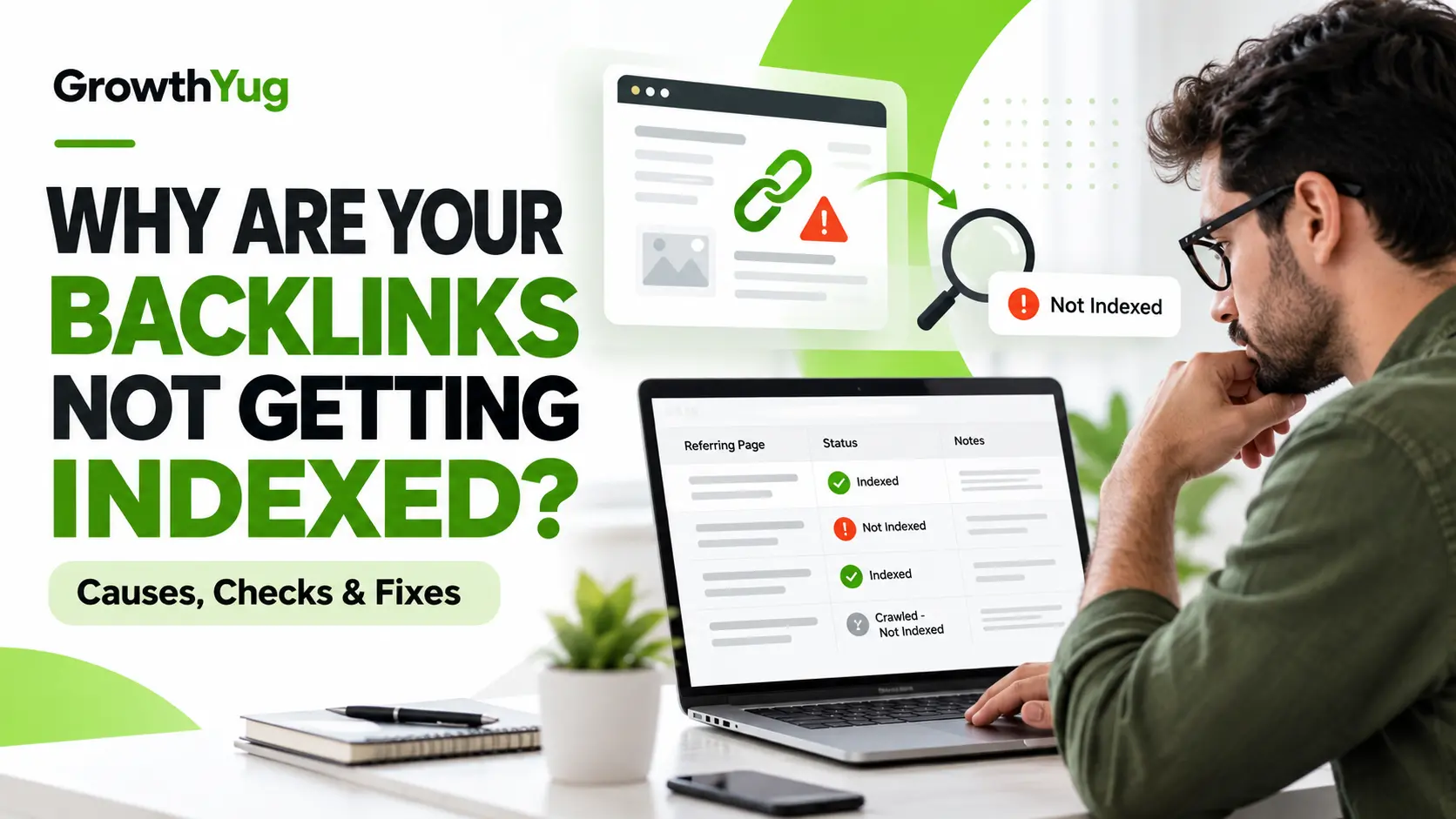
Why Are Your Backlinks Not Getting Indexed? Causes, Checks, and Fixes
You have built a backlink, checked the referring page, and confirmed that your link is live. However, when you search for the page on Google, you cannot find it. Your backlink monitoring tool may show the link, while Google Search appears to show no evidence of it. So, what went wrong?
Understanding why backlinks are not indexed starts with an important distinction: Google indexes web pages, not backlinks as independent documents. Google needs to discover and crawl the page containing your link before it can process that link. Even after crawling a page, Google may decide not to include it in its search index. A live backlink, therefore, does not automatically mean that Google has indexed the referring page or that the link will improve rankings.
The problem can involve technical restrictions, duplicate content, weak internal linking, limited page value, or simply a delay in discovery and processing. In some cases, the issue is not with the backlink at all but with how a third-party SEO tool reports it.
This guide explains how to identify the actual cause, check the referring URL, choose the right corrective action, and monitor the situation without wasting time on repeated indexing requests or unreliable shortcuts.
What Does It Mean When a Backlink Is Not Indexed?
A backlink is a hyperlink on one website that points to another website. For example, a SaaS marketing blog might link to a GrowthYug article about backlink monitoring. The marketing blog’s URL is the referring page, while the GrowthYug URL is the target page.
When people say that a backlink is not indexed, they usually mean that the page containing the backlink does not appear to be included in Google’s search index. However, several different situations can produce this impression.
- The referring page has not been discovered: Google may not know that the URL exists.
- The referring page has not been crawled: Google knows about the URL but has not fetched its content.
- The page has been crawled but not indexed: Google accessed the page but did not select it for its index.
- The backlink tool has not detected the link: The link may exist on the live page, but the tool’s crawler has not discovered it or updated its database.
- The page is indexed, but the link’s SEO impact is uncertain: Indexation alone does not establish that a link is relevant, followed, or influential.
Google’s documentation makes clear that discovery, crawling, and indexing are separate processes, and that not every URL is guaranteed to enter the index.
This distinction matters because each situation requires a different response. Repeatedly requesting indexing will not fix a broken page, remove an unwanted noindex directive, or make thin content more useful.
Why Are Your Backlinks Not Getting Indexed?
Before changing your link-building strategy, investigate the referring page itself. The following are common causes worth checking. None should be treated as the diagnosis until you have evidence.
1. Google Has Not Discovered or Crawled the Referring Page
A newly published guest post may be accessible to visitors but still be unknown to Google. This can happen when the page has few internal links, is buried in an archive, or belongs to a website with limited crawl activity.
For example, imagine a SaaS company earns a link from an article published yesterday. The article is live, returns a successful response, and contains the correct link. If Google has not discovered or crawled the article yet, it may not have processed the backlink.
What to check:
-
Can visitors access the referring page without signing in?
-
Is the page linked from a relevant category, blog archive, or other page on the publisher’s website?
-
Does the exact URL appear in Google Search Console, if you own the referring website?
-
Is the article new, or has it remained undiscovered for an unusually long period?
What to do: If you control the referring website, improve its internal linking and submit an appropriate sitemap. If another publisher owns the page, you can request a relevant internal link from them, but you cannot directly control Google’s crawling schedule.
2. The Page Contains a noindex Directive
A noindex directive tells search engines not to include a page in their search results when they can crawl and process that directive. It may appear in an HTML meta robots tag or an HTTP X-Robots-Tag response header.
For example:
<meta name="robots" content="noindex">If a guest-post page contains this directive, the page is explicitly marked as unsuitable for indexing. The backlink can still be visible to a human visitor, but that does not mean the page will appear in Google Search.
What to check: Inspect the rendered HTML and HTTP response headers. If you have access to the publisher’s Search Console, check the page’s indexing report for the reported exclusion reason.
What to do: If the directive is unintended and you control the page, remove it and verify that the page can be indexed. If a third-party publisher deliberately applies noindex, discuss the issue with them before deciding whether the placement meets your campaign requirements.
Google also explains why blocking a URL in robots.txt is not a substitute for a noindex directive: a blocked crawler may not be able to see the directive in the first place.
3. Robots.txt Prevents Google from Crawling the Page
The robots.txt file can restrict which paths a crawler is allowed to fetch. A publisher might accidentally block an entire directory containing articles, resources, or guest posts.
For instance, a rule affecting /guest-posts/ could prevent Googlebot from crawling a referring page located at /guest-posts/saas-marketing-guide/.
This is different from a noindex directive. A crawl restriction can prevent Google from reading the page’s content and discovering the link in that content.
What to check:
- Open the publisher’s /robots.txt file.
- Find the rules applicable to Googlebot.
- Check whether the referring URL falls under a disallowed path.
- Confirm the page’s status using available crawl diagnostics.
What to do: If the publisher owns the site and the restriction is accidental, ask them to review the rule. Do not attempt to change a third-party website’s settings yourself. Also, do not assume that a robots.txt restriction automatically guarantees that the URL is absent from search results.
4. The Referring Page Returns an Error
A page may have displayed correctly when the backlink was first checked but subsequently started returning an error.
Common examples include:
- 404 Not Found — the requested page cannot be found.
- 410 Gone — the resource has been intentionally removed.
- 5xx errors — the server failed to fulfil the request.
- Redirect loops or broken redirect chains.
- A soft 404, where a page appears to be missing despite returning a successful HTTP status.
A 200 OK response is useful evidence that a request succeeded, but it does not guarantee that the content is suitable for indexing.
What to check: Open the exact referring URL, inspect its HTTP response, verify the final destination after redirects, and confirm that the page actually contains the backlink.
What to do: If the page has moved, the publisher should implement an appropriate redirect. If it has been removed intentionally, ask whether the link can be restored on a relevant live page. If the page is intermittently unavailable, investigate the server issue before drawing conclusions about indexation.
5. The Page Has Duplicate Content or a Different Canonical URL
Canonicalization helps search engines identify the preferred URL among duplicate or substantially similar pages.
Suppose a publisher has two URLs containing nearly identical articles:
- /resources/saas-link-building/
- /blog/saas-link-building/
If the first URL declares the second as its canonical, Google may choose the second URL as the representative version.
This does not automatically mean that the backlink is useless. It means you need to investigate which URL Google recognizes as canonical and whether the link exists on the relevant version.
What to check:
- Inspect the page’s declared canonical tag.
- Check the Google-selected canonical in Search Console, if you have access.
- Compare the content of the duplicate URLs.
- whether the backlink exists on the canonical version.
What to do: If you control the publisher’s site, correct inconsistent canonical signals where appropriate. If the publisher owns the site, request clarification or a correction when the canonical configuration appears unintended.
Do not demand that every URL become separately indexed. Consolidating duplicate pages into one canonical URL can be the correct outcome.
6. The Page Provides Little Unique Value
A page may be technically accessible and crawlable but still not be selected for Google’s index.
Consider a guest post consisting of a short introduction, generic paragraphs, and a list of outbound links. Even if the backlink is live and the page returns 200 OK, the page may offer little distinctive value to readers.
There is no single public metric that proves why Google excluded a particular page. However, a lack of original information, substantial duplication, or a page that exists mainly to host links can justify closer review.
What to check:
- Does the page answer a specific reader question?
- Does it contain useful examples, original explanations, or meaningful insights?
- Is it substantially different from other pages on the same website?
- Does the page fit the website’s subject and audience?
What to do: If you control the page, improve its usefulness rather than adding text merely to increase its length. If a publisher consistently creates pages with little editorial value, reconsider whether that website belongs in your link-building prospect list.
7. The Referring Page Is Orphaned or Difficult to Reach
An orphan page has no meaningful internal links pointing to it. Although a URL can be discovered through external links or other sources, a page with no useful internal discovery paths may be harder for crawlers and visitors to find.
Imagine a publisher has hundreds of articles, but older guest posts disappear from its blog archive and are never linked from relevant category pages. The articles may remain live while becoming difficult to discover.
What to check: Navigate from the publisher’s homepage or relevant blog category to the referring article. Review internal links and determine whether the article is part of a logical site structure.
What to do: If the publisher agrees, add a contextual internal link from a relevant category page or established article. Avoid asking for irrelevant sitewide links merely to increase crawlability.
8. Your Backlink Monitoring Tool Has Not Updated Its Data
A backlink tool is not Google’s index. Third-party platforms discover, process, and refresh backlink information according to their own systems.
Consequently, a backlink can be live on a webpage while remaining absent from a tool’s database. The reverse can also happen: a tool may retain a historical record of a link that has since been removed.
What to check:
- Is the backlink present in the current page source or rendered content?
- Does the link point to the intended target URL?
- Has the tool crawled the referring page recently?
- Does another independent tool report the same link?
- Is the backlink genuinely missing, or is the reporting data stale?
What to do: Confirm the live link before treating it as lost. Record the last verification date and recheck the tool later. A missing backlink-tool record alone does not prove that Google has ignored the link.
For a broader process to investigate missing, new, and lost links, see GrowthYug’s guide to monitoring new and lost backlinks.
How to Check Whether a Backlink Page Is Indexed
Use a consistent process instead of relying on a single Google search or third-party checker.
1 Verify the exact referring URL
Open the page and confirm that it loads, contains your backlink, and points to the correct destination. Record the URL exactly, including its canonical path and redirects.
2 Run a preliminary Google search
Search for the exact URL or a distinctive phrase from the page. A site: query can be a useful preliminary signal, but absence from the results does not conclusively prove that the URL is not indexed.
3 Inspect technical accessibility
Check HTTP status, redirects, robots.txt rules, noindex directives, canonical tags, and whether the page is accessible without authentication.
4 Use Search Console when you own the property
The URL Inspection tool can show Google’s reported indexing status and the selected canonical for your own verified property. You generally cannot inspect another publisher’s URL using your own Search Console access.
5 Record the evidence and decide the next action
Separate confirmed technical problems from uncertain indexation status. Record what you checked, who can fix it, and when you will review it again.
Google’s Page indexing report documentation explains how to investigate indexing statuses and test a live URL.
How to Fix Backlink Indexing Problems
Once you have identified the likely cause, choose a corrective action that addresses the actual issue. The following table can help prioritize your investigation.
| Finding | What it may indicate | Next check | Recommended action |
|---|---|---|---|
| Page is new and hard to discover | Google may not have found or crawled it | Check internal links and available crawl evidence | Improve discovery paths where you have access |
noindex directive |
The page is marked not to be indexed | Inspect HTML and response headers | Ask the publisher to review an unintended directive |
| Robots.txt restriction | Crawling may be blocked | Check the applicable rule | Request a correction if the restriction is unintended |
404 or 5xx response |
The page is unavailable or experiencing errors | Check the response and redirect path | Request restoration or an appropriate redirect |
| Canonical points elsewhere | Google may prefer another URL | Inspect the declared and selected canonical | Verify that the link exists on the preferred version |
| Thin or duplicate content | The page may provide limited unique value | Review content quality and duplication | Improve the content if you control it; reassess the placement otherwise |
| Link absent from an SEO tool | Tool data may be stale or incomplete | Verify the live page and compare sources | Recheck the tool and record the actual link status |
Prioritize Issues You Can Actually Fix
There is an important distinction between owning your website and owning the referring website.
If a backlink points to your site from an external guest post, you generally cannot edit the publisher’s robots.txt file, canonical tags, internal links, or page content yourself. You can contact the publisher, explain the evidence, and request a correction.
If the publisher does not respond, decide whether the link is worth retaining based on its relevance, editorial quality, placement, and other available evidence. Not every unindexed page needs an intervention, and not every backlink should be replaced.
If you control the referring website, investigate technical accessibility, canonicalization, content usefulness, and internal discovery paths. Request a recrawl only when there is a meaningful reason to believe Google needs to revisit the page. Neither a sitemap nor a crawl request guarantees indexing.
For a systematic review of the quality and relevance of your overall backlink profile, consult GrowthYug’s backlink audit guide.
Real-World Backlink Indexing Troubleshooting Examples
The following are hypothetical examples designed to demonstrate how an SEO professional can investigate these problems. They are not actual GrowthYug client case studies.
Example 1: A Guest Post Returns HTTP 200 but Is Not Indexed
Observed symptoms: A SaaS company publishes a guest post on an industry blog. The page loads normally, contains a backlink, and returns 200 OK. A preliminary Google search does not show the exact URL.
Investigation:
- Confirm that the backlink is present on the live page.
- Check that the page does not require authentication.
- Inspect the page for a noindex directive and examine the canonical URL.
- Review internal links to see whether the article is discoverable from relevant blog sections.
- If the publisher has Search Console access, ask them to inspect the URL and review the reported indexing status.
Likely diagnosis: The page might not have been crawled yet, might have been crawled but not indexed, or might be represented by another canonical URL. A 200 OK response alone cannot distinguish these possibilities.
Recommended action: Address any confirmed technical problem. If the page is technically accessible and the issue is simply uncertain indexation, avoid making unnecessary changes. Ask the publisher to improve internal discovery if appropriate.
Verification: Record the URL and current evidence, then recheck after a reasonable interval. Do not promise that the page will be indexed by a specific date.
Example 2: The Backlink Page Has a Different Canonical URL
Observed symptoms: A backlink monitoring tool reports a live link on a guest-post URL, but the URL does not appear in Google Search. The page’s canonical tag points to another article.
Investigation:
- Inspect the referring page’s canonical tag.
- Compare the declared canonical with the URL selected by Google, if the publisher can access Search Console.
- Open the preferred URL and confirm whether it contains the backlink.
- Determine whether the two pages are duplicates or substantially different articles.
Likely diagnosis: Google may be consolidating duplicate URLs under a preferred canonical. The missing URL is not necessarily suffering from a technical error.
Recommended action: If the canonical is correct, the publisher may not need to change anything. If it points to an unrelated page unintentionally, ask the publisher to investigate the canonical configuration.
Verification: Confirm the canonical relationship and check the preferred URL. Do not insist that both duplicate URLs must be indexed independently.
Example 3: The Backlink Is Live but Missing from the Monitoring Tool
Observed symptoms: An SEO team verifies a backlink manually, but its backlink monitoring platform reports no link for the target domain.
Investigation:
- Open the referring page and verify the exact hyperlink.
- Check that it points to the expected target URL.
- Confirm that the page is accessible without a login.
- Review the tool’s last crawl or refresh date, if available.
- Compare the result with another independent source, without assuming either tool is complete.
Likely diagnosis: The monitoring platform may not have discovered the page, refreshed its database, or processed the link yet.
Recommended action: Record the link as manually verified, noting that the tool has not reported it. Avoid classifying it as lost solely because it is missing from the tool.
Verification: Recheck the platform later and update the record if its status changes.
These examples illustrate a central principle: diagnose the referring URL before deciding that a backlink has failed.
How Long Does Backlink Indexing Take?
There is no universal timeframe for a backlink page to be discovered, crawled, or indexed. Google explains that crawling and indexing depend on multiple factors and that it cannot guarantee when, or whether, a particular URL will be indexed.
A newly published page may be discovered relatively quickly, while another page may remain outside the index for a much longer period. Technical restrictions, duplication, site architecture, content quality, and Google’s own indexing decisions can all affect the outcome.
Instead of setting an arbitrary deadline for every backlink, use a review schedule based on the campaign’s needs.
- At placement: Verify that the page is live and the backlink is correct.
- At the first review: Check for accessibility problems, directives, canonical conflicts, and discoverability issues.
- At subsequent reviews: Recheck unresolved problems and note any changes in the page or monitoring data.
- When a clear issue is found: Contact the publisher or correct the problem if you control the page.
A delay is not automatically evidence of a bad backlink. Likewise, waiting indefinitely is not a reason to ignore persistent technical issues.
How to Monitor Backlink Indexing Over Time
A simple backlink monitoring spreadsheet can help your team distinguish between live links, confirmed technical problems, uncertain indexation, and stale tool data.
Use the following fields:
| Field | What to record |
|---|---|
| Referring URL | Exact page containing the backlink |
| Target URL | Page on your website receiving the link |
| Link status | Live, removed, redirected, or unavailable |
| HTTP status | Observed response code |
| Backlink attributes | Relevant rel attributes, where verified |
| Indexing evidence | Search Console evidence, preliminary search result, or unknown |
| Identified issue | Canonical conflict, noindex, error, or no confirmed issue |
| Action required | Publisher contact, technical correction, or recheck |
| Last checked | Date of the latest verification |
| Next review | Planned follow-up date |
Keep the distinction between confirmed and unconfirmed evidence clear. For example, a missing site: result should be recorded as an inconclusive check rather than definitive proof that a URL is not indexed.
You can also use GrowthYug’s best backlink monitoring tools guide to evaluate platforms for tracking backlink changes. Remember that backlink discovery in an SEO tool and indexation in Google are different measurements.
Common Backlink Indexing Mistakes to Avoid
Even experienced SEO teams can waste time when they treat every unindexed backlink as the same problem. Avoid these common mistakes.
1. Repeatedly submitting the same URL
Repeated requests do not resolve technical restrictions, duplicate content, or an indexing decision. Investigate the underlying issue before requesting another crawl.
2. Treating every unindexed backlink as toxic
Indexation status alone does not establish that a backlink is harmful. Evaluate the source website, editorial relevance, link attributes, placement, and overall context. For a more focused assessment, see how to find toxic backlinks.
3. Relying entirely on site: searches
Search operators are useful for preliminary checks, but they are not a complete index-status diagnostic. Where possible, use the relevant website owner’s Search Console evidence.
4. Assuming high domain metrics guarantee indexing
Third-party metrics such as Domain Rating and Domain Authority are not guarantees that an individual page will be indexed or that its backlink will influence rankings.
5. Chasing indexing instead of link quality
A backlink campaign should prioritize relevant websites, useful editorial placements, and genuine value to readers. Indexation is one consideration, not the sole measure of link quality.
6. Expecting every backlink to deliver measurable ranking improvements
Even a live link on an indexed page does not guarantee ranking gains. Search performance depends on many factors, and individual link contributions are difficult to isolate.
Frequently Asked Questions
1. Why are my backlinks not indexed by Google?
Common explanations include delayed discovery, crawling restrictions, noindex directives, server errors, canonical conflicts, duplicate content, and pages that provide limited unique value. Start by checking the exact referring URL rather than the target page on your own website.
2. Do unindexed backlinks count for SEO?
An unindexed referring page provides less certainty that Google has processed the backlink, but an inconclusive indexing check does not prove that Google has never encountered the link. A page’s indexation status, Google’s processing of its links, and the link’s actual ranking impact are separate questions.
3. How can I check whether a backlink page is indexed?
Search for the exact referring URL as a preliminary check, inspect the page’s technical accessibility, and review its canonical and robots directives. If you own the referring website, use Google Search Console’s URL Inspection tool for more direct evidence.
4. Can I force Google to index a backlink?
No. You can improve discovery and fix issues that prevent crawling or indexing, but you cannot guarantee Google’s final decision. A sitemap or crawl request is not a guarantee of indexation.
5. Should I remove a backlink if its page is not indexed?
Not automatically. First verify that the link exists, investigate the referring page, and evaluate the website’s relevance and quality. If the placement is broken, deliberately non-indexable, or otherwise unsuitable for your campaign, discuss a correction or reconsider the placement based on the evidence.
Conclusion
When backlinks are not getting indexed, the most effective response is to investigate the referring page rather than immediately build more links or submit the same URL repeatedly.
Confirm that the backlink exists, examine the page’s technical accessibility, review its canonical and indexing directives, and distinguish genuine problems from limitations in third-party reporting. Where the publisher controls the issue, request a specific correction supported by evidence. Where no actionable problem exists, monitor the page without promising a particular outcome.
For SaaS companies and SEO teams, the goal should be a reliable, relevant backlink profile—not simply a larger number of links reported by a tool. A consistent diagnostic and monitoring process makes link-building decisions more informed and helps teams focus on placements that genuinely deserve their attention.